


Mar . 10, 2026 02:25 Back to list
Enhance Communication with a High Quality Camera with USB Mic Input
Choosing the Right Camera with USB Mic Input
In today’s interconnected world, the demand for high-quality video and audio is ever-increasing. Whether you’re a content creator, remote worker, or simply someone who values clear communication, a camera with USB mic input is a valuable asset. This article will explore the benefits, key features, and applications of these versatile devices, helping you make an informed decision. We will guide you through what to look for and how to choose the best camera to suit your needs.

Understanding the Benefits of a USB Mic Input
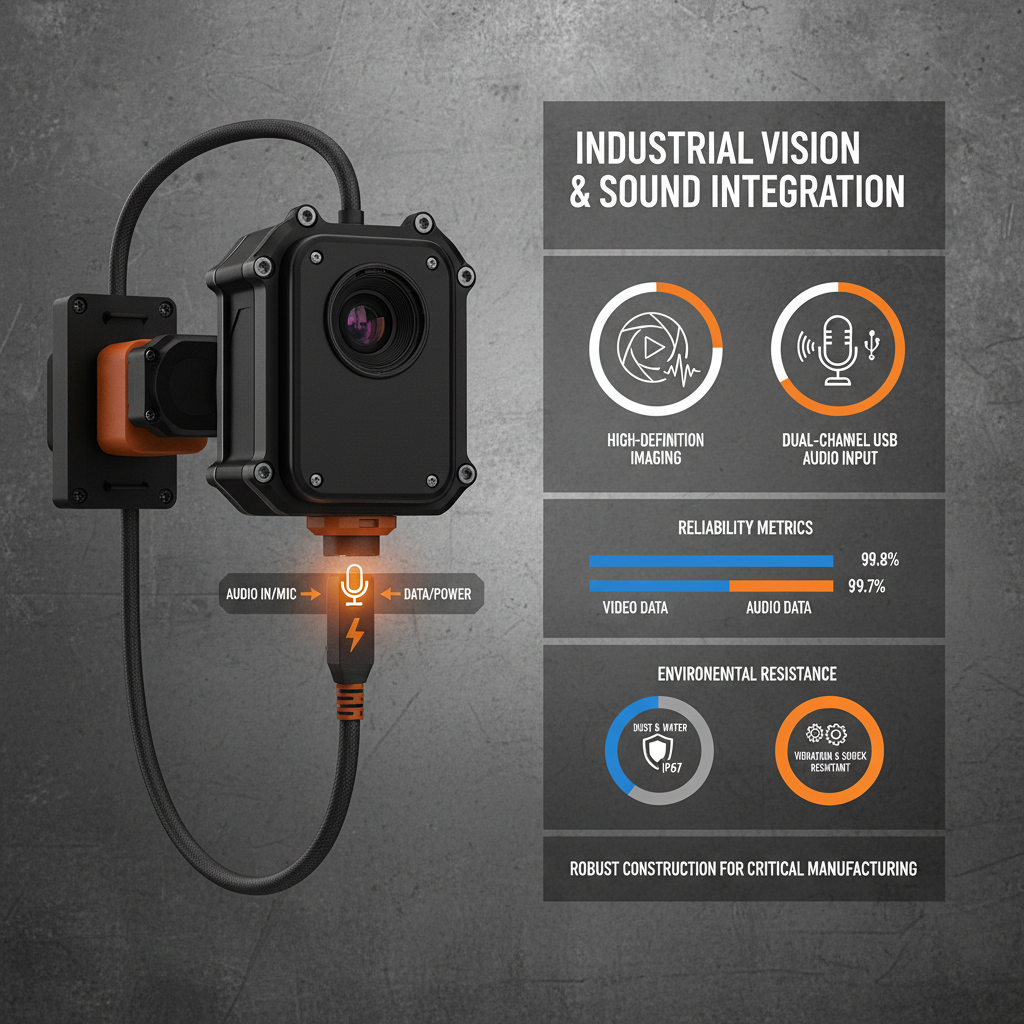
Traditionally, achieving professional-grade audio and video required separate devices and complex setups. A camera with USB mic input simplifies this process. It allows you to directly connect your favorite USB microphone, bypassing the often-inferior built-in microphone. This results in clearer, more natural sound, essential for recordings, live streams, and video conferencing. This seamless integration streamlines your workflow and improves the overall quality of your content.
Key Advantage: Eliminates the need for audio interfaces, simplifying your setup and delivering superior audio quality.
Key Features to Look For in a Camera with USB Mic Input
When selecting a camera, several features are crucial. Resolution is paramount – aim for at least 1080p for clear video. Frame rate (fps) affects smoothness; 30fps is standard, but 60fps is preferable for fast-paced content. The lens’s field of view (FOV) determines how much of the scene is captured. Auto-focus capabilities are essential for keeping your subject sharp, and low-light performance ensures quality footage in various conditions. Compatibility with your operating system and preferred software is also a key consideration. Finally, ensure the USB mic input is clearly specified and supports your chosen microphone.
Essential Features Checklist:
• Resolution: 1080p or higher
• Frame Rate: 30fps or 60fps
• Auto-Focus: Reliable and responsive
• Low-Light Performance: Crucial for indoor use
• USB Mic Input: Confirmed compatibility
Comparing Popular Camera Options with USB Mic Input
The market offers diverse camera options. Here’s a comparison of some popular choices, focusing on their strengths and weaknesses to help you find the best fit. Consider your budget and specific needs when making your decision. SZMYCCM offers a range of solutions tailored to different requirements. This comparison highlights key distinctions to guide your selection.
Applications: Where Do Cameras with USB Mic Inputs Excel?
These cameras are invaluable in various scenarios. Remote work and video conferencing benefit immensely from the improved audio clarity. Content creators—streamers, YouTubers, and podcasters—rely on them for professional-quality recordings. Educators use them for online teaching and virtual classrooms. Businesses leverage them for internal communication and client presentations. From gaming to professional presentations, the applications are vast and continually expanding. SZMYCCM provides solutions for all these applications.
Choosing the Right USB Microphone to Pair with Your Camera
While a great camera is essential, the microphone is equally important. Different microphone types—dynamic, condenser, and USB—offer varying characteristics. Dynamic microphones are robust and ideal for noisy environments. Condenser microphones are more sensitive and capture greater detail. USB microphones are plug-and-play and convenient. Consider your recording environment and desired sound quality when choosing a microphone. Ensure compatibility with the camera’s USB mic input before purchasing. SZMYCCM offers bundled solutions to simplify this process.
Conclusion: Elevate Your Audio and Video Experience
Investing in a camera with USB mic input is a significant step toward enhancing your audio and video quality. By carefully considering your needs and the features outlined in this article, you can select the perfect camera and microphone combination. Don’t settle for subpar communication – upgrade your setup today!
Frequently Asked Questions (FAQs)
What is the difference between a dynamic and condenser microphone?
Dynamic microphones are more rugged and handle loud sounds well, making them suitable for live performances and noisy environments. They are less sensitive and don’t require external power. Condenser microphones, on the other hand, are more sensitive and capture a wider range of frequencies, resulting in a more detailed and natural sound. They require external power (phantom power) and are better suited for studio recording and quieter settings. Consider your recording environment and desired sound quality when making your choice.
Can I use any USB microphone with a camera that has a USB mic input?
Generally, yes. However, it's always best to check the camera's specifications to ensure compatibility. Some cameras may have limitations on the types of USB microphones they support. Look for cameras that specifically state compatibility with a wide range of USB microphones. SZMYCCM provides compatibility information for its cameras.
What resolution should I choose for video conferencing?
For standard video conferencing, 720p is usually sufficient. However, if you want a sharper, more professional look, 1080p is recommended. If your internet connection is stable and your platform supports it, you can even consider 4K. The higher the resolution, the more bandwidth you'll need.
How does low-light performance affect video quality?
Low-light performance determines how well the camera captures video in dimly lit environments. Cameras with good low-light performance will produce brighter, clearer images with less noise. If you frequently record in low-light conditions, choosing a camera with excellent low-light capabilities is crucial.
-
Guide to Raspberry Pi Camera Module v3 with Powered Autofocus
NewsApr.16,2026
-
Guide to Using the raspberry pi camera module v1 3 for IoT Projects
NewsApr.09,2026
-
Exploring the Capabilities of the Raspberry Pi Camera Module 3 Noir for Diverse Applications
NewsApr.07,2026
-
Unlocking Visual Potential with the Raspberry Pi Camera Module 3 for Advanced Projects
NewsApr.04,2026
-
Raspberry Pi Noir Camera Module V2 8MP 1080p30 A Comprehensive Guide for Projects
NewsMar.31,2026
-
Comprehensive Guide to the Raspberry Pi 3 B+ Camera Module and Its Applications
NewsMar.28,2026
-

MY-USB1M818A Global Exposure Usb Camera Module With 1mp Hd Video
-

-

-

MY-DC52M-A1 Dual Lens Wide Dynamic Range Usb2.0 Camera Module With HD Video 5mp+2mp
-

MY-WHC700 Windows Hello Face Recognition Binocular USB Camera
-

MY-DC-260-A1 Dual Lens Usb2.0 Web Camera With High-definition Video 2mp+2mp
-

MY-1001-A2 AI Tracking, Gesture Recognition, Sitting Posture Detection Smart Camera Module
-

MY-USB8M158A 4K Resolution HD Video Driver-Free USB Camera Module With Microphone
